
Free app blocker for iPhone
A distraction blocker that holds until the timer ends
EarlyBird is a free distraction blocker wrapped around a focus session. Pick the apps that usually take the evening, start a timer in a room where other people are already working, and iOS keeps them shut until you are finished.

4.8 on the App Store
Blocking is in the free tier Enforced by Screen Time iPhone, iOS 18.2+
What it actually does
Blocking iOS enforces, not a reminder you can swipe away
A blocker is only worth installing if it is still working at minute eighteen, when your hand reaches for the phone before you have decided anything.
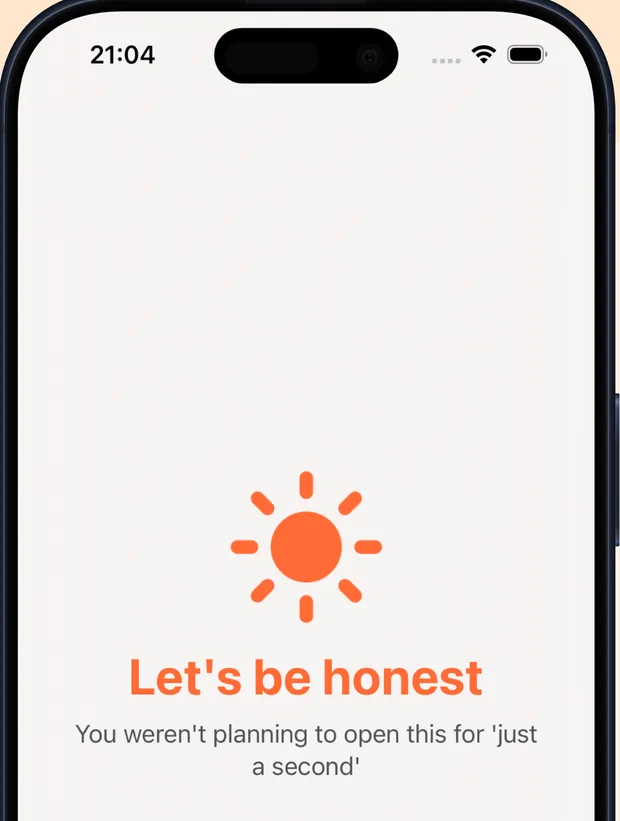
EarlyBird uses Apple's Screen Time permissions, so a blocked app refuses to open for the whole session. No confirmation dialog, no five more minutes, no honour system.
Most anti distraction apps run on a polite fiction: that a pop-up asking whether you are sure will stop a hand that moved on its own. It will not. You tap through it and you do not remember tapping. Every app blocker that leaves the decision with you in the moment is relying on the one faculty that has already failed by then.
The list here is set before the session begins and handed to the operating system. Nothing asks you to confirm anything. The apps simply do not open, and there is no setting inside a running session that gives them back. That is the difference between a distraction blocker and a nudge, and it is most of the reason people keep this one after deleting three others.
- You choose which apps get blocked, session by session
- The block runs for the full session, not until the first tap
- Breaks are part of the plan rather than something you argue for at minute twelve
- The blocking sits in the free tier, not behind the subscription
Setup
How to block distracting apps on iPhone
One permission, granted once. After that a session takes about twenty seconds to start.
-
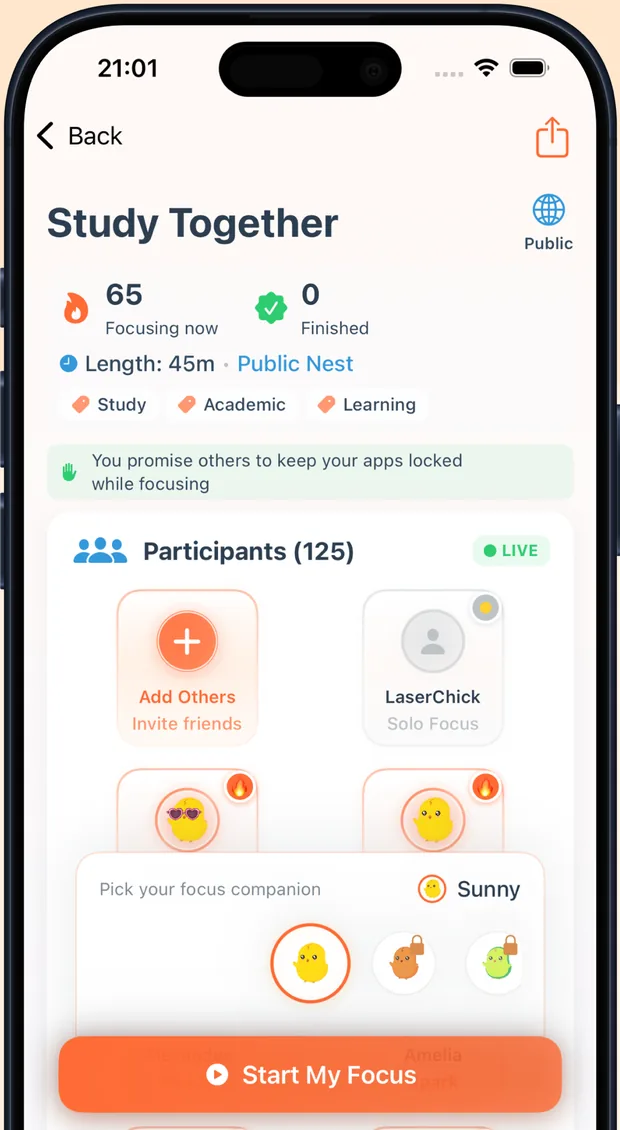
Pick a session and a room
Join a room that is already running or start your own, then set the length. Working alongside other people is what gets you to start; the block is what keeps you there.
-
Choose what gets blocked
Tick the apps you want shut for this session and grant the Screen Time permission the first time you do it. The list is per session, so tonight's can look nothing like Monday's.
-
Start the timer
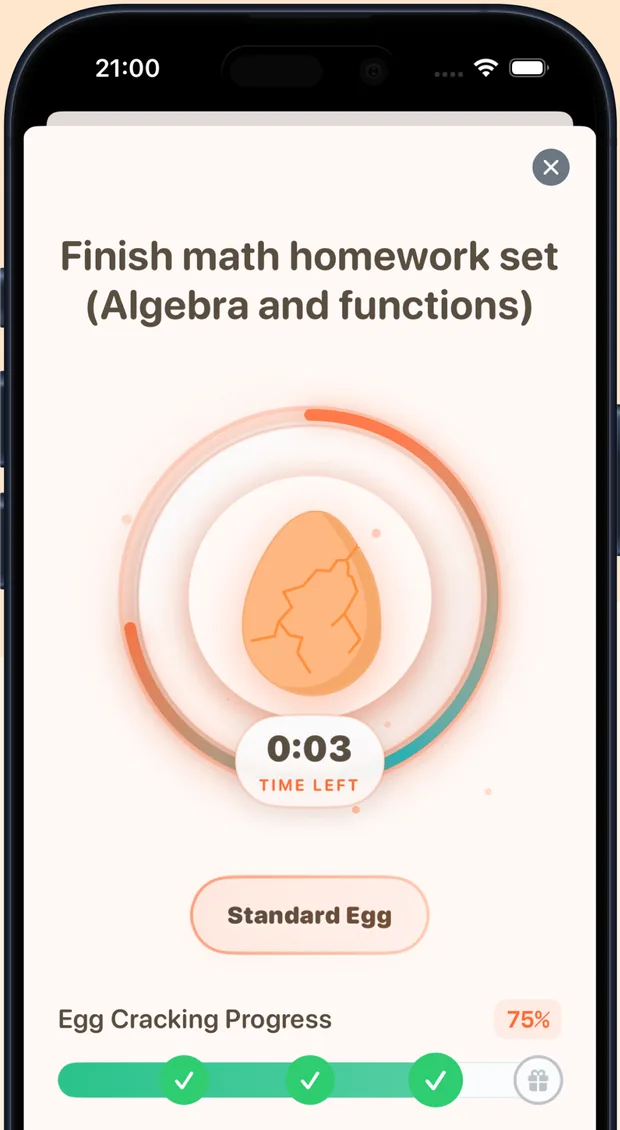
Blocked apps stay shut until the timer ends, then unlock on their own. The session goes into your focus stats with whatever subject or project tag you gave it.
Where it fits
Screen Time limits, Focus mode and standalone blockers
Your iPhone already ships with two of these and they are worth knowing before you install anything. They solve different problems.
| What you need | EarlyBird | Screen Time limits | Focus mode | A standalone blocker |
|---|---|---|---|---|
| Stops an app from opening | Yes, for the session | Yes, with an ignore option | No, it quiets notifications | Usually |
| Set per session, not per day | Yes | Daily limits only | Manual on and off | Varies |
| Other people working alongside you | Yes, live rooms | No | No | No |
| Counts your focused hours | Yes, by subject or project | Screen time only | No | Rarely |
| Something to actually do instead | Yes, a timed task | No | No | No |
| Price | Free | Built into iOS | Built into iOS | Often paid |
The honest part
Why a blocker on its own stops working by week two
Blocking removes the exit. It does not create any reason to walk through the door. Install a blocker by itself and what you get is a quieter phone and the same blank page, which is why so many people uninstall the thing on a Tuesday and feel oddly relieved.
That is the gap EarlyBird was built around. The block runs inside a session you joined with other people, on a task you named before you started, with an end time you can see. The best distraction blocker for you is almost always the one attached to something you have already agreed to do, because then the block is just the door closing behind you rather than a punishment you set up for yourself in a fit of optimism.
It also explains the pattern people report after a week: the blocked apps stop being the interesting part. What keeps the sessions happening is the room, and what makes the room work is that nobody can reach for their phone either.
-
Study with friends and study rooms
Private rooms for your own group, public rooms for the hours when nobody you know is awake. The social half of the same setup.
-
Body doubling for ADHD
Why working next to someone helps with starting, and what the app does at each point where a session usually falls apart.
-
The study timer and tracker
Pomodoro or custom lengths, tagged sessions, and honest daily and weekly totals, because the block is what makes the hours real.
Questions
Distraction blocker FAQ
Does EarlyBird really block apps, or just remind me not to open them?
It blocks them. EarlyBird uses Apple's Screen Time permissions, so a blocked app will not open for the length of the session. There is no confirmation dialog to tap through and no snooze button hiding in the session.
Is the distraction blocker free?
Yes. App blocking is in the free app rather than behind the upgrade. EarlyBird Premium adds unlimited sessions and full statistics for $2.99 per week or $3.99 per month, but the blocking works without paying anything.
Can I block apps on iPhone without giving Screen Time permission?
No, and neither can anything else. On iPhone, Screen Time is the only route an app has to stop another app from opening. Anything claiming otherwise is showing you a reminder screen you can dismiss. EarlyBird asks for the permission once and uses it only while a session is running.
Can I unblock an app in the middle of a session?
Not the ones you blocked, which is rather the point. You can end the session early if something genuinely urgent happens and the block lifts with it, but you cannot keep the session running and quietly let Instagram back in.
Which apps should I block while studying?
Start with the two or three you open without deciding to. For most people that is one social app, one video app and the group chat. Blocking everything on day one is how people end up deleting the blocker by the weekend, usually on an evening when they had a good reason.
Does the blocker work on Android or on a Mac?
Not yet. EarlyBird is iPhone only and needs iOS 18.2 or later, because the blocking is built on Apple's Screen Time framework. There is no Android or desktop version.
Get started
Block the apps, keep the evening
Free to download, blocking included, no account needed for your first session. iPhone, iOS 18.2 or later.
On a laptop? Point your phone's camera at this and the App Store page opens on the device the block actually runs on.